Posts

The cheats guide to homework marking part 1 - Thumbnails

  Context At my school we set weekly homework tasks in one of my subjects and fortnightly in the other at KS3. Homework is weekly at KS4. Teaching just over 400 students a week I needed to come up with some cheats else I would never have time for anything other than homework! I would love to take credit for these cheats, but they’ve evolved from conversations with many other teachers over the years.   For context I’m in a school where every student has a chrome book and we use google classroom to set homework’s. Thumbnails On google classroom you can get an overview of all students work on an assignment with small pictures of each assignment. If you can design tasks that allow you to see from a small picture that they have both completed their homework, and got the right idea you’re on to a winner!  This can work many ways: 1. Coloured boxes: get them to drag and drop the boxes into the right places. At a glance you can check they have a) moved, and b) got the right colou...
It's ok to stop...

When I started this blog I was determined to help others with their workload. Over the years I had found lots of hacks that allowed me to cope with being a full time teacher with a predominantly KS3 timetable across two departments, teaching on average about 400 students a week, as well as being a Mum. I hope I have never given the impression that I'm an expert in this field, but it is one that interests me after meeting my limit a few years ago as I wrote in a recent post you can read here. Yet I still get to the point where teaching becomes too much. I reached this at the end of last term. Having got through a term with an Ofsted visit both at my own school and my husbands, and put on a fundraising concert for our new building, plus the usual workload of teaching, I hit the wall again. This time, embarrassingly, collapsing on the floor of the staffroom where I was found 15 minutes later having a panic attack because I did not understand what was happening to my body and spent the...

Using 'Wakelet' to organise online resources

Image
Context  I am constantly collecting up resources. I get really passionate when I find something that will help me teach, and often get inspired to write entire new schemes of work from what I find. But often I find things at times that are not convenient. I have one of those brains that loses things (including the plot) very quickly, and therefore there is no guarantee I will ever remember that gem of a resource again unless I find a strategy to help me remember.  For a long time I created a 'resources' folder in my email inbox and placed things in there. But I could count the number of times I actually opened that folder on one hand. I'd go in and there would a wide range of different topics, I'd be confused by the subject lines that made perfect sense at the time (or had none because I was in too much of a rush at that moment - the 'I'll sort it later' mindset). I'd feel so overwhelmed that I'd rather start google searching again, not being able to...

Creating an Escape the Room game

Image
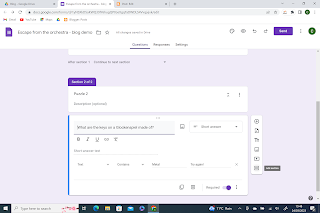
Overview Keeping students engaged can be a challenging task. One of the things my students love is playing 'escape the room' games on google forms. I will freely admit I usually help create a mood in the room with music on in the background etc, but I don't have lots of set up to do which helps between classes.  I also teach some of my classes how to make these for themselves and they sometimes create them as revision activities etc. They often share them with a time limit built in and have a bit of fun trying to make them so challenging their class mates  At the bottom, instead of the usual video, I've added a pdf of where to click to set up steps 3-9. This allows you to take it at your own pace and see it in more detail.  Equipment To create an escape the room game you don't need very much at all: 1. A source (or sources) of information. 2. Google form 3. Anything you want to help create the mood Here's a step by step guide: 1. Find your information they can w...

Teaching and Parenting - how to manage cover

 This is not going to be so much a 'here's resources' post, as a musing one with suggested ideas. It is a little self-indulgent of me, so if its not your thing, fair enough. Hopefully you'll come back soon for another one with lots of tips and resources!  As I've said before I am both a Music and History teacher. I also teach metacognition to year 7 pupils and bullet journaling to Year 9. I run multiple clubs (Orchestra, 2 ukulele groups and a Music Theatre group). I am a certified trainer in helping schools become Thinking Schools. I have the pleasure of presenting at conferences where I love meeting other teachers, and even writing articles. I have a varied and happy full time job and side hobbies out of it. Teaching, as we all know, can absorb as much time as you are willing to give it. There is always something else to do. I once had a colleague tell me that if he gave every member of staff a month off to catch up, create resources etc, within a couple of weeks ...

Reports Part 2: Using Google Forms

Image
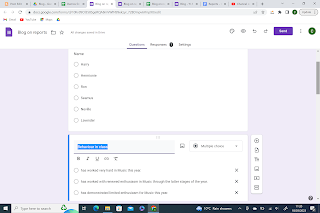
Overview In the past at my school we had to write longer, more personalised reports. The spreadsheet system works well when you have a limited variety of what to say, but can feel a little more cumbersome if you need to write entire paragraphs. At that point I was using Google Forms as my weapon of choice to create reports fast. Prepping The longest time element is creating the report bank in the first place which suits what you need to say. I like to start with a list of the topics I want to cover and then write a report for one student from scratch.  For example: Report Behaviour in class Overall grade Biggest success Exam outcome Homework Target Harry has worked very hard in Music this year . Overall he has achieved the expected leve l in assessments. His biggest achievement was his / composition for film music which he can share with you from google classroom. His exam results were below what I would expect . Homework is consistently handed in on time . To make further pr...

Reports: Part 1 - using a Google sheet (or other spreadsheet!)

Image
 Using a Google Sheet (or spreadsheet) to Write Reports It's that time of year when workload increases with report writing. Just this week I have had to write 180 two sentence reports (we also had Ofsted in this week and a year 7 parents evening...). Although I would love to write highly individualised and detailed reports it is just not possible if I want to also run my extra-curricular groups, keep on top of marking and planning and see my family at all. Therefore cheats have to be found!  I have created two systems over the last few years, one using spreadsheets which I will go through here, and another using google forms, which I will write up at a later date.  Set up So the first step is to write a standard report that makes sense. For example I want to report back on the effort they put into lessons and a comment on their homework. I then want to give them a target that will help improve their attainment. An example would be: In year 9 Harry has demonstrated excell...